User Reporting
Let members report messages and users to a report channel where staff can act on the report.
Overview
The User Reporting feature lets users report users or messages that they find inappropriate or offensive. It gives Discord servers with a large number of users a more efficient way of moderating content.
Setting a Report Channel
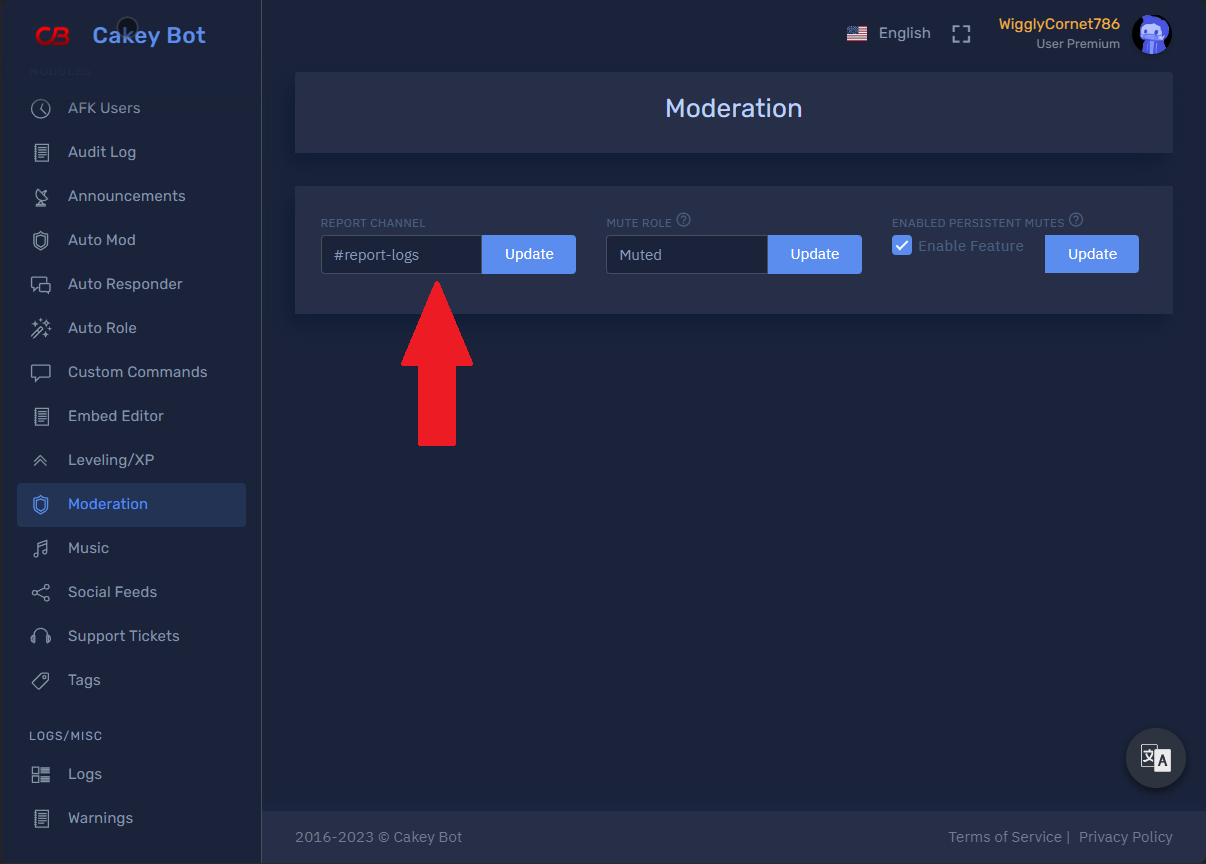
- Go to the web dashboard
- Select the server you want to set the report channel on.
- From the left menu click on
Moderation. - Select a report channel from the dropdown menu then click
Update. <br />
Reporting Messages/Users
Your users can follow the steps below to report users or content:
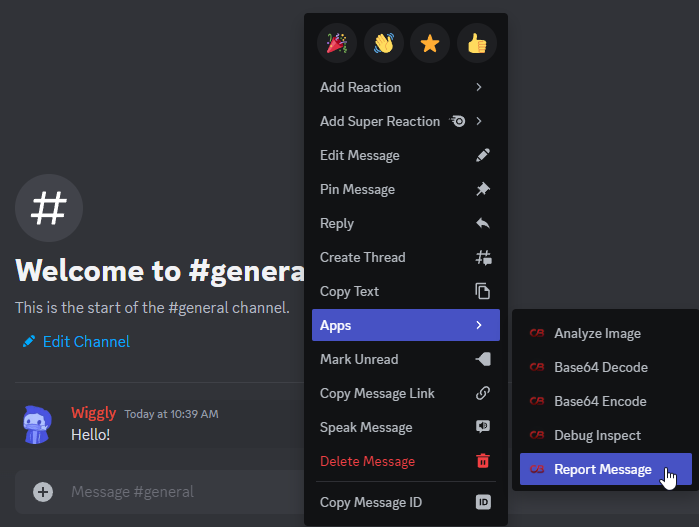
- Users can right-click on the user or message that they want to report.
- Click on
Appsfrom the context menu. - Select
Report MessageorReport Userdepending on the type of content being reported. - Provide a reason for the report. (Only for
Report User) - Once the report is submitted, it is sent to the staff team who can then take appropriate action. <br />
What do the staff see?
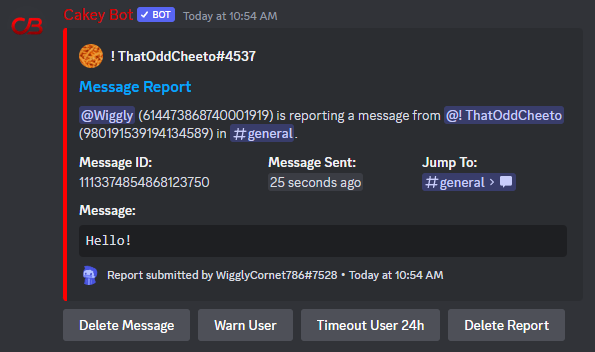
The staff are prompted with an embed where they can take action. The embed's exact contents and available buttons depend on whether a message or a user was reported.
Report Message
For a Report Message, the staff will have both the ID of the user who sent the message and the ID of the user who reported the message. They will also have the time that the message was sent as well as a link to jump to the message. The embed will also include the message content if it's available (For embeds it will try to grab the embed's description if there is one.)
The embed includes these action buttons:
- Delete the message
- Warn the user
- Timeout the user for 24h
- Delete the Report
- Claim
- Finish/Mark Finished
Report User
For a Report User, the staff will have the ID of the reported user, the ID of the user who reported them, and the reason provided for the report. Since there is no specific message involved, there is no "Delete the message" button.
The embed includes these action buttons:
- Warn the user
- Timeout the user for 24h
- Delete the Report
- Claim
- Finish/Mark Finished <br />